A desktop mail client, built for operators. Every picture on this page is the actual program, not a mock-up.
Your mailboxes down the left, the message list in the middle, the open message on the right. Replies and forwards are gathered into one conversation, newest on top, and a conversation opens oldest first, the way it was written. Add as many mailboxes as you have; each keeps its own folders.
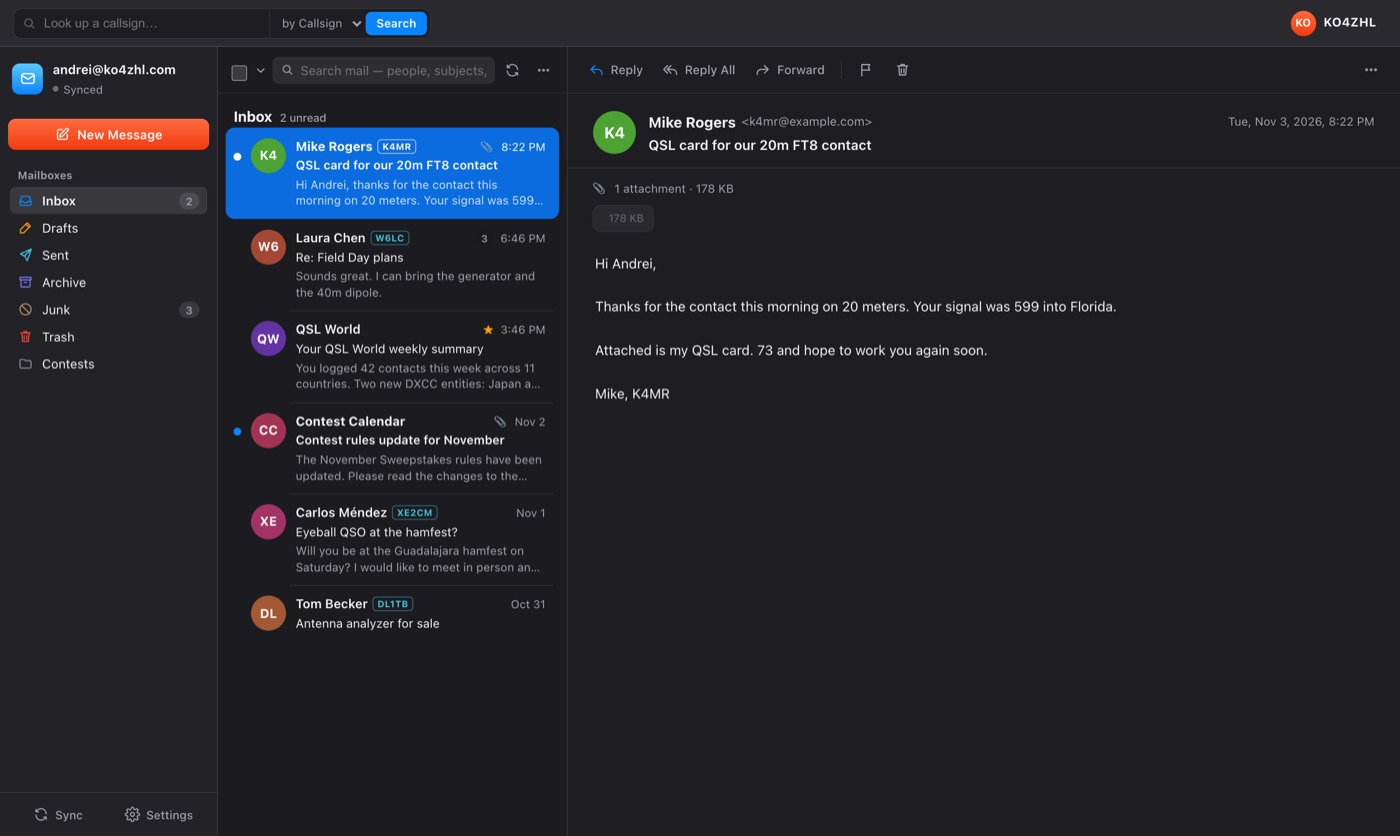
A callsign in the sender’s name or address is recognized when the message arrives and shown as a callsign, not a string of letters. Click it and the operator is looked up. Your correspondents who are hams look like hams.
Images hosted elsewhere are not fetched until you ask, message by message, so a sender’s tracking pixel never fires and nobody learns when or whether you read their mail. Sender photos come from Gravatar when you want them and are one switch to turn off.
Messages are stored in a database on your own disk, which is why search is instant and why the inbox is there when the network is not. Ham Email connects from your computer straight to your provider over TLS, on the implicit-TLS ports, 993 for IMAP and 465 for sending. Nothing is routed through any Ham Email or QSL World server.
Type a word and the list narrows as you go: people, subjects, bodies, callsigns and the names of attachments, all from the copy on your computer. When what you want is older than what has been fetched, search all mail asks the server to look through everything it holds.
Ask it to draft a reply, shorten what you wrote or make it read better. Add your own API key and requests go straight from your computer to the provider you chose; the key is kept here and nowhere else. Without a key, a QSL World profile gives you a free, metered allowance each day. Either way nothing is sent until you press the button.
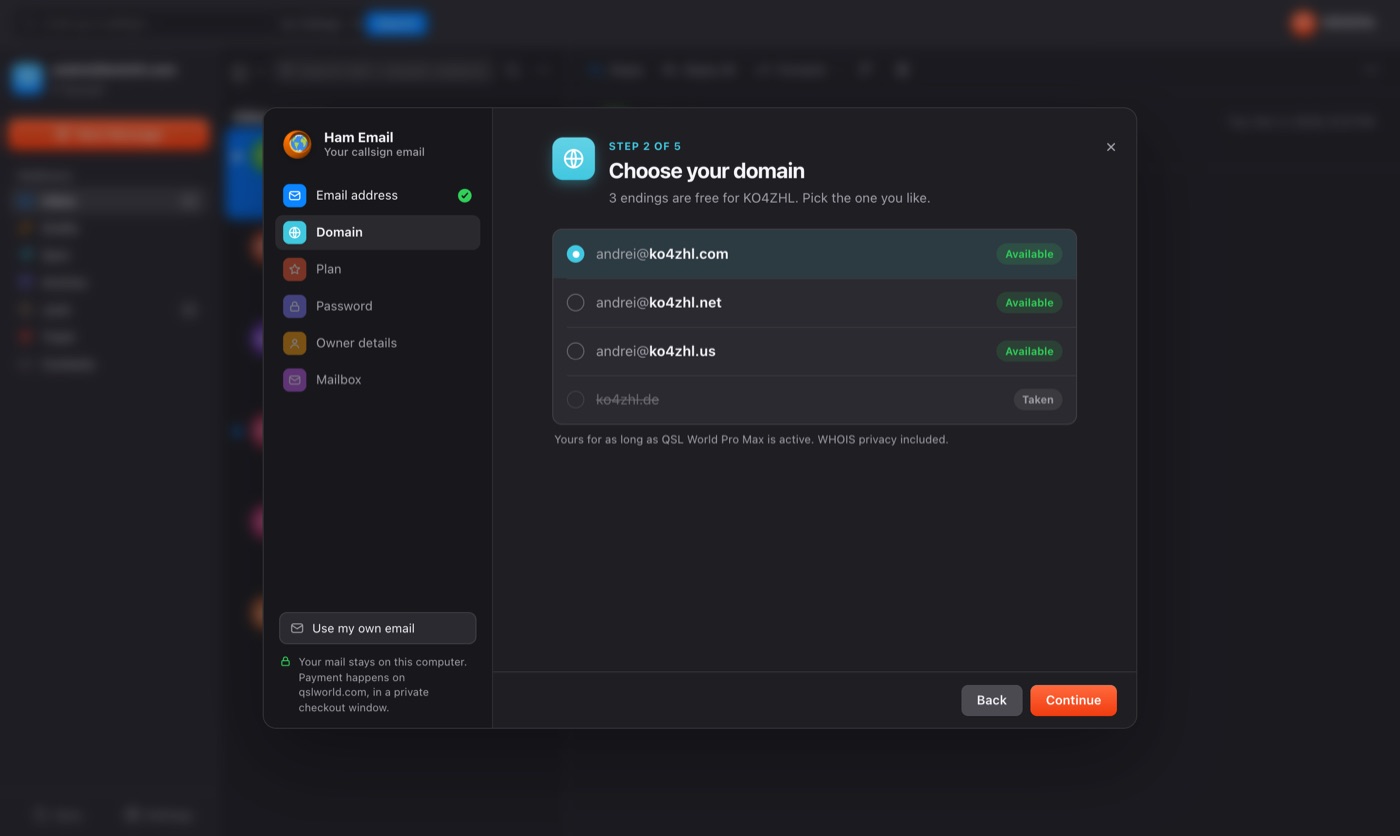
Ham Email offers one more kind of address: your own callsign. Pick the name and the ending, pay for QSL World Pro Max in a private checkout window, and choose the mailbox password. The domain is registered, your station page is published and a real mailbox is created, and Ham Email adds it the moment it is ready.
The things a mail client should simply get right.
Gmail with an app password, Outlook, Yahoo, iCloud, Fastmail, Zoho, Purelymail, or any other IMAP and SMTP host.
Pick a provider and the servers are filled in. For anything else, Ham Email works them out from your address, and you can correct them by hand.
Ham Email opens with the QSL World sign-in that Ham Browser uses. A free profile is created in a minute, and a qslworld.com member signs straight in.
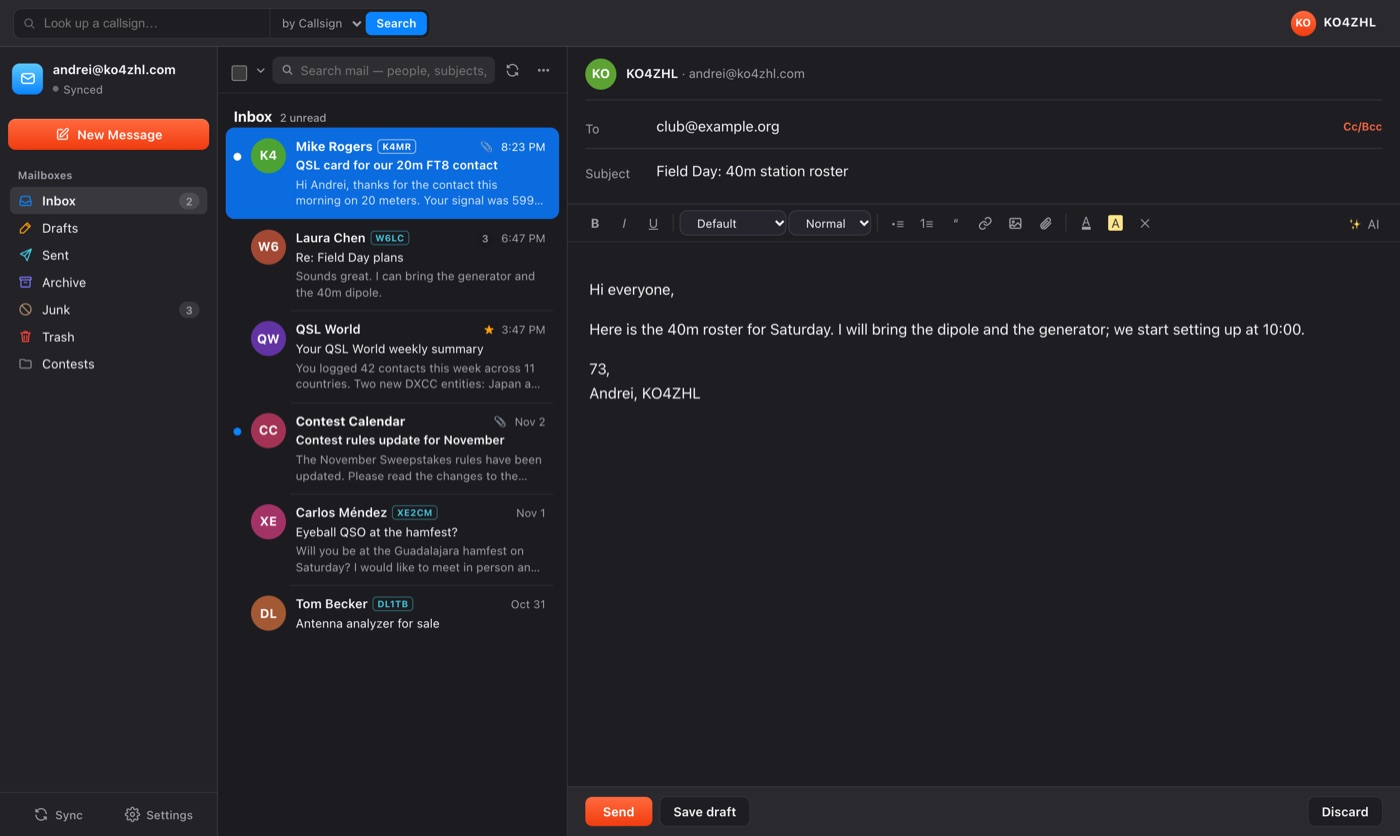
Saved as you write and reopened with every recipient and Cc intact.
Apple Silicon and Intel Macs; Windows in 64-bit and 32-bit, so an older shack PC is not left out; and Linux on x64 and ARM.
Ham Email checks for a new version when it starts and every half hour, and shows it in the sidebar with a download button. Nothing is installed behind your back.